
On reddit, /u/Food_B posted:
Do you know your radio ?
This is just another question because I’m curious. Your favorite radio(s), I’m curious, do you actually know them backwards and forwards, all the mysterious settings, all the features? Or, is it still unexplored, are there still settings deep in the manuals that you don’t understand yet, things that it does that you haven’t tried yet? How well do you know your radio, is it like a well worn pair of shoes, or more of a box of mysteries and new surprises?
The responses ranged from “I always read the manuals thoroughly and need to know what my gear is capable of” to “I know my radio fairly well, but there are things that I haven’t used yet due to other station limitations or needs.”
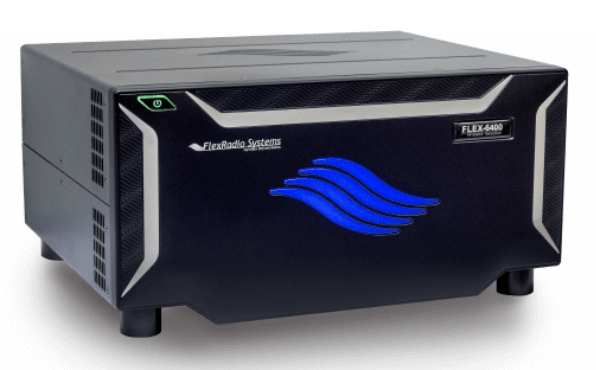
My take on this is more along the lines of this commenter: I’d say I know my [radio] pretty well at this point, although every once in a while I’ll find something new and interesting. I liken this experience to using a complicated piece of software, like Microsoft Word (I actually use Libre Office) or Excel. I usually just jump in and start using it, and only when I want it to do something that I haven’t done before, do I dig out the docs and try to figure out how to do it. Recently, for example, I wanted to decode some RTTY during a contest, so I found a few forum posts on how to set up fldigi with the Flex 6400 and learned how to do it.
There was some talk about the usefulness (or uselessness) of manuals. I think that most manuals are pretty good at describing how the various features work. What they’re lacking, however, are case studies for when and how to use the features. For example, the Flex 6400 manual describes what feature to use to pipe audio to a third-party application, such as fldigi, but it doesn’t really give you the compete picture on how to do it. YouTube videos and blog posts fill in that gap.
Finally, there was this comment:
There’s the old joke:
Q-code: QNB? How many buttons does your radio have?
QNB 83/16. My radio has 83 buttons and I know what 16 of them do.
I love it. :)
“Well enough.” Don’t ask me how to work split on my FTdx-1200 though! The things I use tend to stay in-brain, the things I don’t quickly evaporate.
PDF’s of the manuals are how I make it through radio life. Search on “split,” find the answer I need scattered over three pages in five different sections of the manual, muddle through somehow.
My previous radio, the iCOM 735, I knew real well, mainly because it didn’t really have a lot of buried features. Also, I had it for 20+ years, so I had a lot of time to get comfortable with its features and foibles.
Then I upgraded to an Elecraft K3 (and now a K3s) in 2009, so I’ve used essentially the same radio now for the past 10+ years. I have to say that I’ve not yet tried sending PSK or RTTY with the CW paddle, which I think falls into the ‘stupid paddle tricks’ category, but I’ve done just about everything else with it, and have gotten quite good at being able to the use the bandwidth controls, etc. during contests and casual operating.
I’ll say though, that typical radio operating manuals are usually a run-through of all the buttons/dials and connectors, as well these days of a listing of all the menu items with a brief description of what they do. It tends to leave a lot desired.
I particularly enjoy the Fred Cady, KE7X (SK) books, where he walked you through all the thinks you might want to do with the radio and then taught you how to set it up, and also gave hints on how to optimize things like the noise reduction, noise blanker, and AGC, which on the K3/K3s are all adjustable to death and beyond. In fact, a lot of complaints that surface on the mailing lists are from folks that have diddled with those settings and gotten the radio so out of whack its a wonder they can hear anything at all.
VHF/UHF FM and digital radios are another thing entirely. It seems that everyone is in a race to pack as many functions as possible in a small handheld that has a simple 16- or so key keyboard, and label them with as cryptic as possible naming scheme. Really Yaesu, IPO (which is really the preamp switch) stands for Intercept Point Optimization? I wonder who many hams would be able to figure that out, unless they were steeped in the Yaesu way.
I like the Nifty reference guides, and religiously pick one up to go with all my radios. There are also little pocket guides for the handhelds that I can stuff down into the pouch, so I can figure out how to program the damn thing when I’m in the field. The Nifty guide for the Yaesu FT-817 is a masterpiece, being a small spiral-bound book, with tons of useful information for that little jewel of a radio.