• Skip to primary navigation
  • Skip to main content
  • Skip to primary sidebar
  • Skip to footer

KB6NU's Ham Radio Blog

KB6NU's Ham Radio Blog
  • HOME
  • Study Guides
  • Teach a One-Day Tech Class
  • W8SRC Repeater Guide
  • Advertise
  • Hire Me

Dragon OS

Recent adventures with Linux

November 29, 2023 By Dan KB6NU 5 Comments

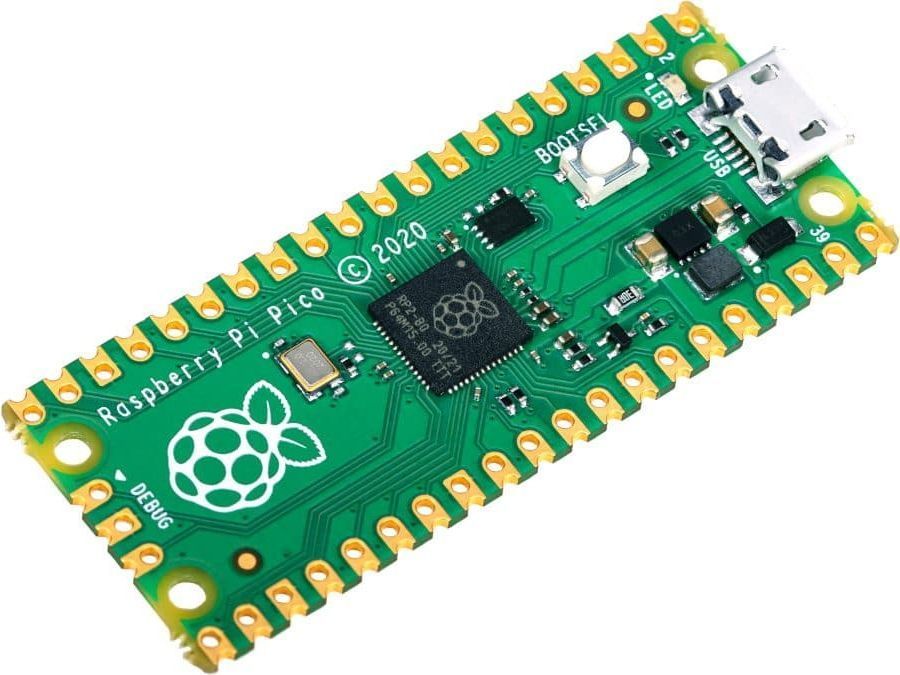
While plowing through a stack of old QSTs the other day, I ran across the article, “A Simple Morse Memory Keyer,” by Dave Benson, K1SWL. K1SWL’s design uses a Raspberry Pi Pico, which is a small, inexpensive, yet quite powerful, microcontroller board. Since I had one that I purchased to play around with a while ago, I thought I’d give this project a go.

The software was devloped in BASIC, using the MMBASIC interpreter, but I thought I’d use this project to learn more about Python. You can program the Pico with MicroPython, if you have the right tools. One of those tools is Thonny, an integrated development environment (IDE). There are versions that run on Windows, Macs, and Linux boxes.

I have an old laptop that I installed Lubuntu on a while back, so I thought I’d use that for programming. Unfortunately, I couldn’t seem to install the latest version of Thonny on it. I’m not sure exactly why, but I thought that perhaps something was weird with my Lubuntu installation.

So, I decided to install another ham radio distro. The first one I tried was Andy’s Ham Radio Linux, created by Andy, KB1OIQ. It had gotten a nice write-up on Hack-a-Day, and it looked like just what I needed.

Unfortunately, I never got it to install properly. The first couple of attempts were my fault. My first mistake, I think, was trying to use the Lubuntu Startup Disk Creator. I probably should have gone with one of the tools that KB1OIQ recommends, or the program that I eventually used—Balena Etcher. Plus, I really disliked the Lubuntu default wallpaper!

My next mistake was not reading the Getting Started document. In that document, KB1OIQ details the steps to follow to successfully install his distro. I just plugged the USB stick into the laptop and winged it. Using this approach, I ended up making several mistakes.

Dragon OS

Even following the instructions, though, I was never able to install the software correctly. After four attempts, I just gave up and went to Plan B: Dragon OS.

Dragon OS is based on Lubuntu (ironically) and includes a bunch of SDR software.  You can see the complete list on the DragonOS Sourceforge page. It  supports a wide range of inexpensive SDR hardware, including RTL-SDR, HackRF One, LimeSDR, BladeRF, and many others.

Installing this distro was a breeze. I downloaded the .iso file, burned the installation disk with Balena Etcher, plugged it in, and it installed the very first time. Thonny wasn’t part of the distro, but I opened a terminal window, typed in “pip install thonny”, and in a couple of minutes, I had the latest and great version of the IDE. It took me two days, but I can finally start working on the keyer software now.

So, now, I have some questions for you:

  1. Are you using Linux in your ham station?
  2. If so, what distribution?
  3. What do you like or dislike about it?
  4. What are some fun Linux software packages, other than Thonny, that I can play with?

Filed Under: Computers, Software Tagged With: Dragon OS, Linux, Raspberry Pi Pico

Adventures in Linux

November 6, 2021 By Dan KB6NU 5 Comments

A refurb HP Elite tower PC like this one has been running my shack computer for nearly three years now.

Nearly three years ago now, I retired the cheap HP 2000 laptop I was using in the shack with a refurbished HP Elite desktop computer. It has proven to be a very good buy, easily powering the SmartSDR software that runs my Flex 6400 and all the other software that I’ve thrown at it.

I still have the laptop. We used it for logging at Field Day a couple of years ago, but aside from that rather light duty, it’s just been taking up space. Last December, I had tried to install Linux on this laptop, but when I wasn’t successful right off the bat, I put the box back on the shelf, where it languished until about a month ago.

That’s when my friends over at the  Linux in the Ham Shack podcast ran Episode #434: Linux Install Media Deep Dive. They made it sound relatively easy, so I decided to give it another try.

The first thing that you have to decide—after you’ve decided to install Linux, of course—is which distribution to install. I did a search for “best linux for an old laptop,” or something similar, and found the web page, Best Linux Distributions for An Old Laptop in 2021. Based upon what I read there, I decided to give Bodhi Linux a try.

Following NE4RD’s instructions, I first downloaded Rufus, a proram that allows you to create bootable USB drives from .iso files. Then, I downloaded the .iso file for Bodhi Linux and created the bootable USB drive. So far, so good.

Unfortunately, the laptop didn’t boot from the USB drive. When I tried to boot from the USB drive, the laptop just went crazy. Thinking that it might be the BIOS settings, I played around with them, but to no avail. I think this is what tripped me up last December.

Poking around, I found a way to do it, however. What I had to do was to get into the BIOS without the USB drive being plugged in, then at the appropriate step plug it in, then specify the EFI file to boot from. When I did that it, worked!

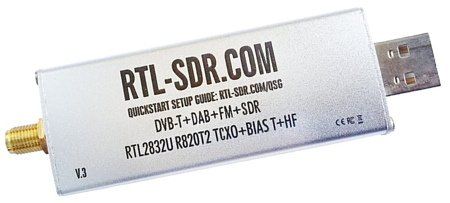
I played around with Bodhi Linux for a a couple of days. I tried installing SDR++ because it was touted to be “bloat free,” but unfortunately, I couldn’t get it to work. I did install qgrx, and that worked just fine with my RTL-SDR dongle. In the end, though, I decided that Bodhi Linux was a little too “new agey” for me, and looked for another Linux distribution to install.

My second choice was Lubuntu. Lubuntu was touted as being “fast and lightweight,” so I thought I’d give it a go. Armed with my experience in installing Bodhi Linux, the Lubuntu install was easy. Again, I had no luck installing SDR++, but gqrx installed easily, and I quickly had it up and running.

A couple of days ago, however, I read about DragonOS Focal, which is an Ubuntu Linux image that comes preinstalled with multiple SDR software packages. According to the SourceForge page,

DragonOS Focal is an out-of-the-box Lubuntu 20.04 based x86_64 operating system for anyone interested in software defined radios. [Dragon OS Focal includes] the bigger named packages and  drivers  for SDRs, such as the HackRF One, RTL-SDR, and LimeSDR.

  • srsLTE
  • Yate/YateBTS
  • Osmo-NITB
  • Universal Radio Hacker
  • GNU Radio
  • Aircrack-ng
  • GQRX
  • Kalibrate-hackrf
  • wireshare
  • gr-gsm
  • rtl-sdr
  • HackRF
  • IMSI-catcher
  • Zenmap
  • inspectrum
  • qspectrumanalyzer
  • LTE-Cell-Scanner
  • CubicSDR
  • Limesuite
  • ShinySDR
  • SDRAngel
  • SDRTrunk
  • Kismet
  • BladeRF
  • …and more.

That looks pretty good, doesn’t it?

I expected the install to go pretty much the same as the Lubuntu install, but that was not to be. I downloaded the .iso file and created the bootable USB drive with Rufus, but for some reason, I couldn’t get that to boot.

Somehow, I got the idea to create the bootable USB drive on the Lubuntu system using Balena Etcher. So, I downloaded the program and the .iso file to the Lubuntu machine and created the bootable drive. This time, it worked like a charm!

Dragon OS has just finished installing itself, and I’m rebooting now. I’ll report in future posts on how well the SDR programs run on this old laptop.


Filed Under: Computers, Software-Defined Radio (SDR) Tagged With: Dragon OS, Lubuntu

Primary Sidebar

No Nonsense Technician Class License Study Guide (for tests given between July 2026 and June 2030)

New No Nonsense Technican Class Study Guide now available!

The 2026 version of my Tech Class study guide is now available, and as always, the PDF version is FREE!. The ePub version costs $11.97, and a Kindle version and paperback version will be available on Amazon shortly.

Click here to get all of my "No Nonsense" study guides.

Also available: The CW Geek's Guide to Having Fun with Morse Code

W5SWL.Com
Retevis Ailunce H1 DMR Radio
DXpander: Cobweb antennas, Laser Cutting

You’ve got mail!

Enter your email address below and get an email every time I publish a new post.

Email


I frequently teach classes to help newcomers get their licenses. The next class will take place on Saturday, October 10, 2026 on the University of Michigan campus. Click here for more information.

If you can't make the class, subscribe to the mailing list to be notified of when the next class will be held.

You can always download my free study guide, and if you have any questions about the classes, or amateur radio in general, please feel free to email me directly.

Support KB6NU.Com

Donate $7.30 and get two of these cool stickers. Measuring 4.25-in. W by 2.75-in. H, it's perfect for your car, your shack, or wherever!

Contact me

If you have a question or comment about one of my blog posts, or a question about any of the material in my study guides, or just a question about ham radio in general, you can email me at [email protected].

Blogs You Should Also Read

  • AE5X: A CW-centric blog from Kingswood, Texas
  • K0LWC Blog
  • LA3ZA Ham Radio Blog
  • Little Radios, Big Fun – WB3GCK
  • Mr. Vacuum Tube's Blog
  • Radio Artisan – K3NG
  • The K0NR Weblog
  • VE3WDM's QRP Ham Radio Blog
  • W2LJ’s Blog

Ham Radio Websites

  • Dashtoons – The Hammin' Comedy by Jeff K1NSS

Podcasts

  • ICQ Podcast
  • Linux in the Ham Schack
  • No Nonsense Amateur Radio Podcast
  • Resonant Frequency Amateur Radio Podcast

Recent Comments

  • Dan KB6NU on The EMF Explorer: A badge for ham radio?
  • Travis Good on The EMF Explorer: A badge for ham radio?
  • MARTIN ROBERT ROTHFIELD on The EMF Explorer: A badge for ham radio?
  • Mike Chen on Operating Notes, January 5, 2026
  • Rob W4ZNG on The EMF Explorer: A badge for ham radio?

Meta

  • Log in
  • Entries feed
  • Comments feed
  • WordPress.org

Footer

Copyright © 2026 Daniel M. Romanchik, KB6NU · Log in