
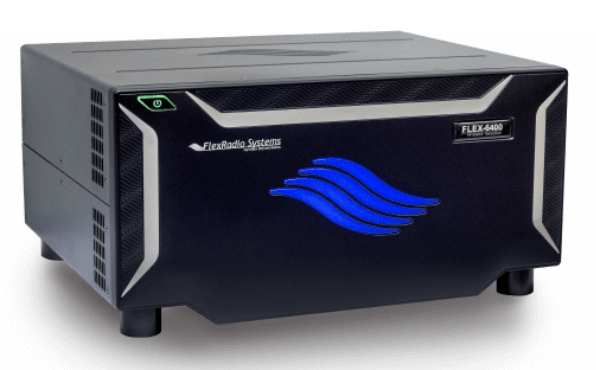
 A couple of days ago, my Flex 6400 decided that it didn’t want to work. I usually leave the radio and computer on, so when I sit down to operate, I hit the spacebar on the computer’s keyboard, and everything comes back to life. I did so this time, and the radio came up on the 30m the band that I last operated.
When I changed bands to 40m, though, the panadapter went blank, and the SDR program said that the radio had been disconnected. I tried turning the radio off and on, and I even turned the router off and on, but neither got the radio to connect again. I thought, OK, I’ll turn the power supply off and on again. Well, that didn’t coerce the radio to connect either.
When you first turn on a Flex, the light behind the power switch flashes green until the radio boots up. Then it turns solid green……unless there’s a problem. Mine flashed red, with a single flash, indicating that there was a “fan failure.”
One of the first things that I did was to search the FlexRadio Community. In doing so, I found the post, “Fan Failure 6600M.” There was some good information in this post, including where to get a replacement fan. Apparently, these fans are used in gaming, and replacement fans only cost $18 on Amazon.
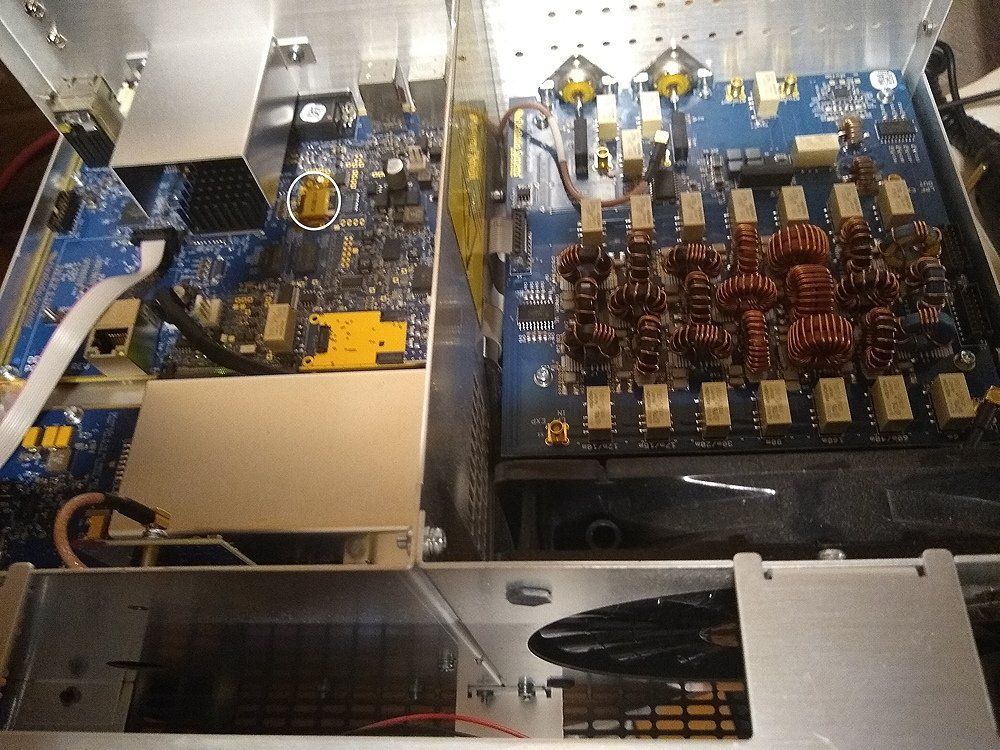
At that point, I decided to take off the cover and have a look. This turned out to be more involved than I thought, as you have to remove 14 Torx screws to get the cover off. Fortunately, I had the correct Torx screwdriver. Once I got the cover off, I spun the fan manually, and it spun quite nicely.
Next, I kept reading the post. Further down, Ken, N7HQ, the FlexRadio Community Manager, replied:
Please keep in mind a red-blinking power button (single red blink) indicates the fan is not rotating when firmware expects it to be. Yes, this could be a fan failure, but it is far more likely to be another problem. In the past 6-months, I’ve seen the service team deal with only a single fan replacement for the 6600 and 6400 radios. And that replacement was preventative, due to the radio being used in an exceptionally dusty/dirty/smoky environment. Please open a helpdesk request. Where Tim and Ken can assist in the diagnosis.
So, that’s what I did. After swapping some emails, Ken, NM9P, asked me to do a factory reset, which I hadn’t done before. When this procedure yielded the same results, he said, “It is possible that there has been an SD card failure and it needs to be replaced. ” He then made arrangements for a new SD card to be sent to me at no charge. (The SD card is circled in white in the photo above.
So, while it’s a bad thing that the SD card failed, I have to give kudos to the tech support folks for their help in resolving the issue. Now, I’m hoping that the envelope containing the SD card doesn’t take too long to make it through the mess that is the U.S. Postal Service right now.
My Flex has had a few issues that were corrected quickly by their amazing support. I love the rig, but it is complex and without the stellar support it could be a different story.
Suggestion: I haven’t had the SD Card failure and hopefully will not, but it happens enough that I wounder if I should consider making an image backup of it.
I’m not sure that you can make an image and have it work. They told me that when I installed the new SD card and turned it on that the radio had to be connected to the internet. So, it must be downloading something net. I’m not so sure I”m keen on that, but that’s how it works. I may sell it once I get it back up and running.
Same here, new SD card should arrive today. Tim Ellison with Flex is responsive and customer service perfection.
Though obviously still a problem a couple years later…