
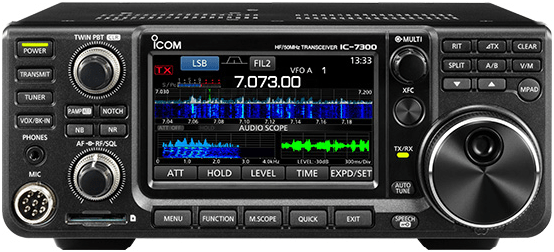
 Here’s the final installment on my IC-7300 comments (part 1, part 2). This will be a mishmash of things, including a comment on the rig’s performance, other features that I’ve used, and features that I have yet to use.
Physical dimensions
The radio is wayyyy smaller and lighter than the IC-746PRO. This would, of course make it better for field use, but it also makes more space on the bench for base station applications.
Receiver performance
I really don’t have the equipment to do a real receiver performance test, but I can say that I think that the receiver is somewhat more sensitive than the IC-746PRO receiver. Sherwood Engineer ranks it 15th in terms of third-order dynamic range.
The DSP filters work a lot better than the DSP filters in the IC-746PRO. If I set the bandwidth to 500 Hz, for example, I do not hear stations outside that bandpass. On the IC-746PRO, that’s just not the case.
USB port
While it’s really nice to be able to connect the radio to a computer with just a single USB cable, it was harder than I thought it should be to set up. And, there seems to be an RFI issue. You definitely should purchase a shielded cable to connect your IC-7300 to a computer.
Key jacks
Unlike the IC-746PRO and most other higher-end radios, the IC-7300 has only a single key jack, which accommodates both straight keys (two-conductor plugs) and paddles (three-conductor plugs). This led to a little bit of confusion after I upated the software. When I switched to CW mode, the radio began sending a series of dits. It took me a while to figure out that the default is for the key jack to be configured for paddles, and I had connected a two-wire plug from my outboard keyer. At least I didn’t have to build a separate cable or rewire the plug.
No CHIRP support
I was hoping that CHIRP would support the IC-7300 so that I could easily configure the memories. CHIRP does support the IC-7100 and the IC-7200, but not the IC-7300. I tried setting CHIRP to the IC-7100, but that unfortunately did not work. A ticket has been opened to add IC-7300 support, but it doesn’t look like there’s been a lot of progress. I’m going to take a look and see how hard it would be to do this myself.
Miscellaneous
The headphone jack is a 3.5 mm phone jack, not a 1/4-in. jack. I like that because the headphones that I’m using have the smaller plug. This might be a bit of a hassle if all of your headphones have the larger plug, though.
The radio has a built-in antenna tuner capable of matching SWRs up to 3:1. I haven’t used this feature yet, as my HF antenna is a non-resonant doublet, tuned with an external antenna tuner. I don’t doubt, however, that the antenna tuner will work as well or better than the one in the IC-746PRO, which I used extensively before I put up this latest antenna.
One interesting feature of the antenna tuner is that it has an “emergency mode.” In this mode, you can the tuner with antennas that present an SWR of up to 10:1, but the radio limits the output power to only 50 W.
Well, that’s all for now. I think I’ll go down to the shack, fire up the IC-7300 and make a few contacts.
Some radios that have only one key jack, will monitor the jack on power up, and automatically assume a bug/straight key if one of the inputs is already grounded. Then they just ignore that input.
Curious that Icom couldn’t figure that one out.
Would anyone know how to have the “voice” announce the channel when changed, without having to push the “voice” button ? Tnx, Ric, VE7CUP
I love my icom -7300 I have many radio,s I find my self always going back to the icom-7300 good job icom. Kc2erf Nelson